“Half my staff never read the handbook.”
Reading it is a step on their Camp Ready checklist, and your Overview shows exactly who’s done. The handbook opens on their phone, even offline.
Camp Ready checklistOpening soonLive at our first camp. Founding camp pricing for the first 5 camps that join. 5 spots remaining
The staff app for summer camps
The Staff Lodge gives every counselor one place for their checklist, documents, travel, days off and announcements, from the day they’re hired to the last night of summer. Your office stops chasing emails. Your staff show up ready.
No app store downloadWorks on iPhone and AndroidYour camp’s name and colors
Camps on The Staff Lodge
The problems it solves
Every camp office knows the stretch from April to Arrival Day. These are the headaches we hear most, and what The Staff Lodge does about each one.
Reading it is a step on their Camp Ready checklist, and your Overview shows exactly who’s done. The handbook opens on their phone, even offline.
Camp Ready checklistStaff enter their own flight, bus or drive. You get one list and a spreadsheet. On Basecamp and up, one tap reminds everyone who hasn’t added theirs.
Travel detailsOne-tap check-in shows who’s made it to camp. On Basecamp and up, the Pickup Team sees who lands where and when, and one tap tells everyone still waiting that the bus is here.
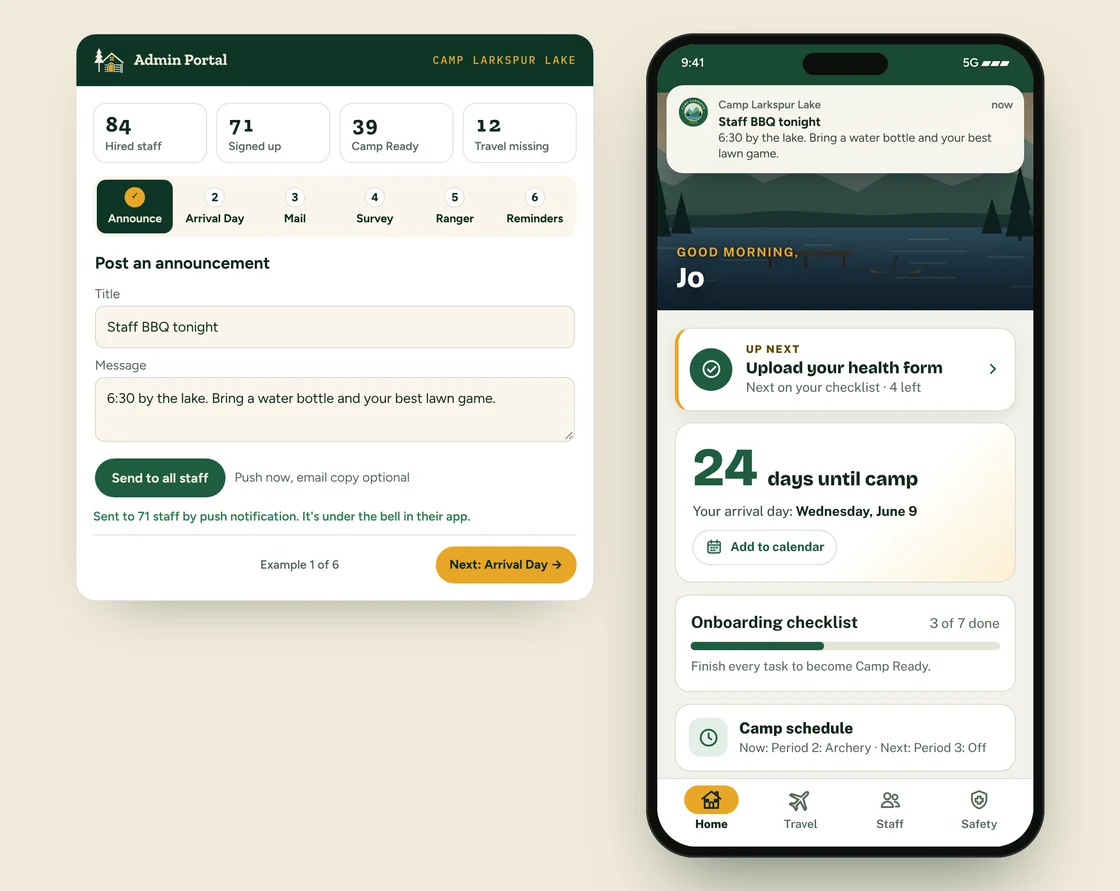
Arrival DayAnnouncements go to every phone as a notification. You see who hasn’t read one and remind only them. On Basecamp and up, send an email copy too.
AnnouncementsSpot limits, an automatic waitlist, and trip leaders who check people in. You can see who’s off property at any moment.
Off-camp tripsBasecamp and up
Photos, jobs and fun facts in the directory, so staff get off the plane already knowing names. On Basecamp and up, travel buddies and an arrival chat too.
Staff directoryAn emergency alert reaches every phone at once, skips quiet hours, and puts a red banner on every screen. The safety card works with no signal.
Emergency alertYour checklist, documents and safety guide carry over to next summer. On Summit, mark who’s coming back and they keep their accounts.
End of seasonYour spring, in hours
Move the slider to your staff count. The other numbers are our starting guesses: change them to match your camp.
450 fewer emails and texts to send, out of 600 (about 50 hours of chasing today)
That’s about 5 full work days.How it works
Follow Jo, a cabin counselor, from the day they’re hired to the first week of camp. Each part of the app shows up right when Jo needs it, and stays out of the way when they don’t.
January – March
Jo says yes to a summer at Camp Larkspur Lake. A welcome email brings a sign-up link, and two taps put the camp’s app on Jo’s home screen.
April – May
Jo’s Camp Ready checklist shows what’s left: the handbook, the health form, a photo for the directory. Each one ticks off when it’s done, and your office sees who’s finished.
May – June
Jo adds a flight in under a minute, and it ticks itself off the checklist. Your office gets one travel list instead of forty emails.
Arrival day
Jo lands to a message from the Pickup Team: we’re here, at Terminal C. At camp, one tap checks Jo in, and your office watches the list fill up.
June – August
Announcements land as notifications, and days off and trips are a tap away. The safety card works even with no signal.
When summer ends, your office downloads its lists, marks who’s coming backSummit and starts fresh for next year.
Everything is on every plan unless it’s marked Basecamp (Basecamp and Summit) or Summit.
For the camp office
No training manual needed. If you can send an email, you can run The Staff Lodge.
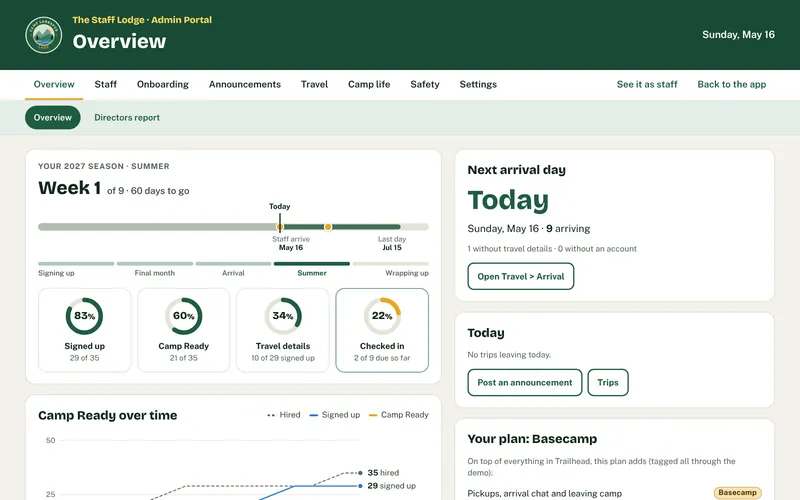
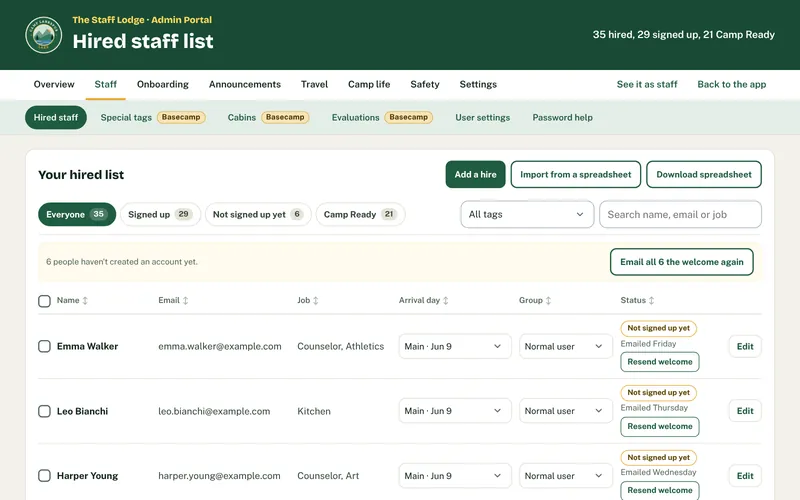
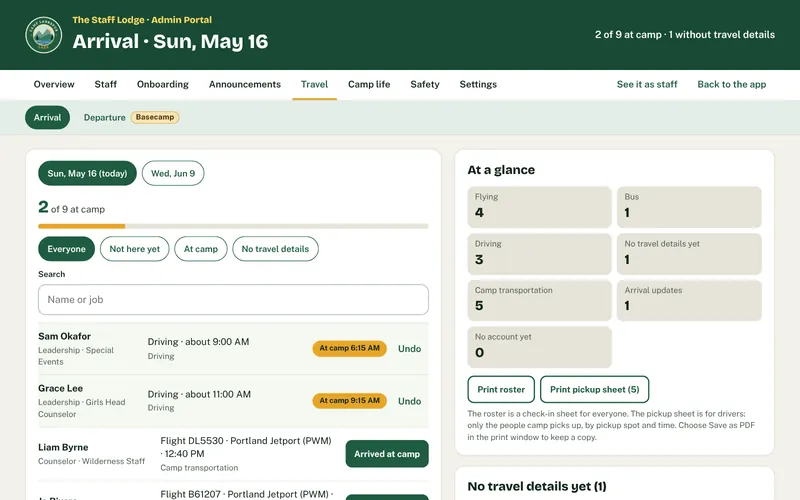
The Overview: how many have signed up, who’s Camp Ready, whose travel is missing, and the next arrival day.
Who signed up, who’s Camp Ready, whose travel is missing, and what needs you today.
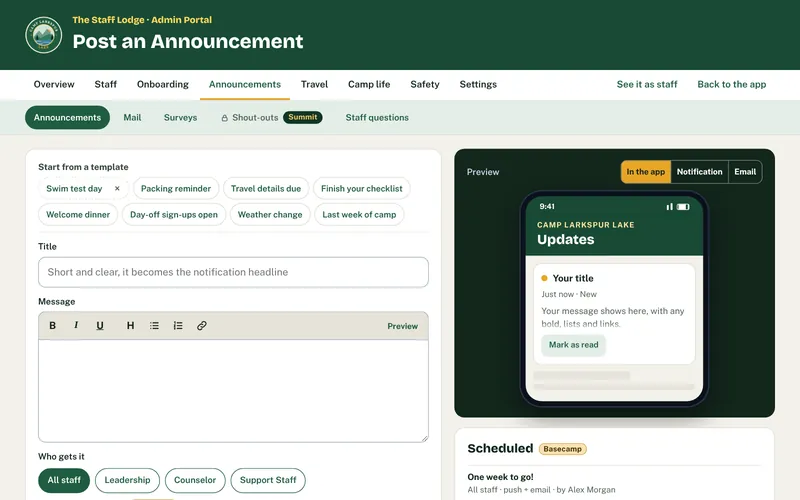
Write it Sunday night, send it Monday at 9, with an email copy if you like. Bold, lists and links included. See who hasn’t read it.
Non-urgent notifications wait until 7 AM on each person’s phone. Emergency alerts always go through.
Admins and System Administrators sign in with an authenticator code or a passkey (Face ID, Touch ID or Windows Hello). Take someone off your admins and their admin access ends right away.
A record of downloads and account changes. Staff can download their own information or ask to delete their account.
Your logo, colors and camp photo, and your camp’s name on every screen your staff see. On Basecamp and up, it’s at your own web address too, like staff.yourcamp.com.
Why it exists
The Staff Lodge was built by an overnight camp’s staffing director who was tired of chasing flight numbers and forms every spring. Every feature started as a real problem in a real camp office, and it’s being rolled out to that camp’s own staff first. Now we’re opening it up to a small group of camps who feel the same pain.
Everything in the app
Nothing here is a mock-up or a maybe. A few favorites from camp offices:
Register interest
Takes a minute. No payment, no commitment. We email you the full demo, with your own code, within a few minutes.
Protected by reCAPTCHA: Google’s Privacy Policy (opens in a new tab) and Terms of Service (opens in a new tab) apply.